Turning on skill-based matchmaking
To turn on skill-based matchmaking, you need to configure stats that can be used to store each player's skill level on the Epic Online Services backend.
The plugin uses two stats to store a player's skill: <prefix>_mu and <prefix>_sigma. These are used by the Openskill algorithm the plugin implements. You choose the prefix per matchmaking request, which allows you to have different skill rankings per player for different game modes.
Create the stats for skill level
You first need to create the two stats in the Epic Games Developer Portal. For your product, create two stats in LATEST mode. Your stats configuration should look something like this (the example below is using mmr as the skill prefix):
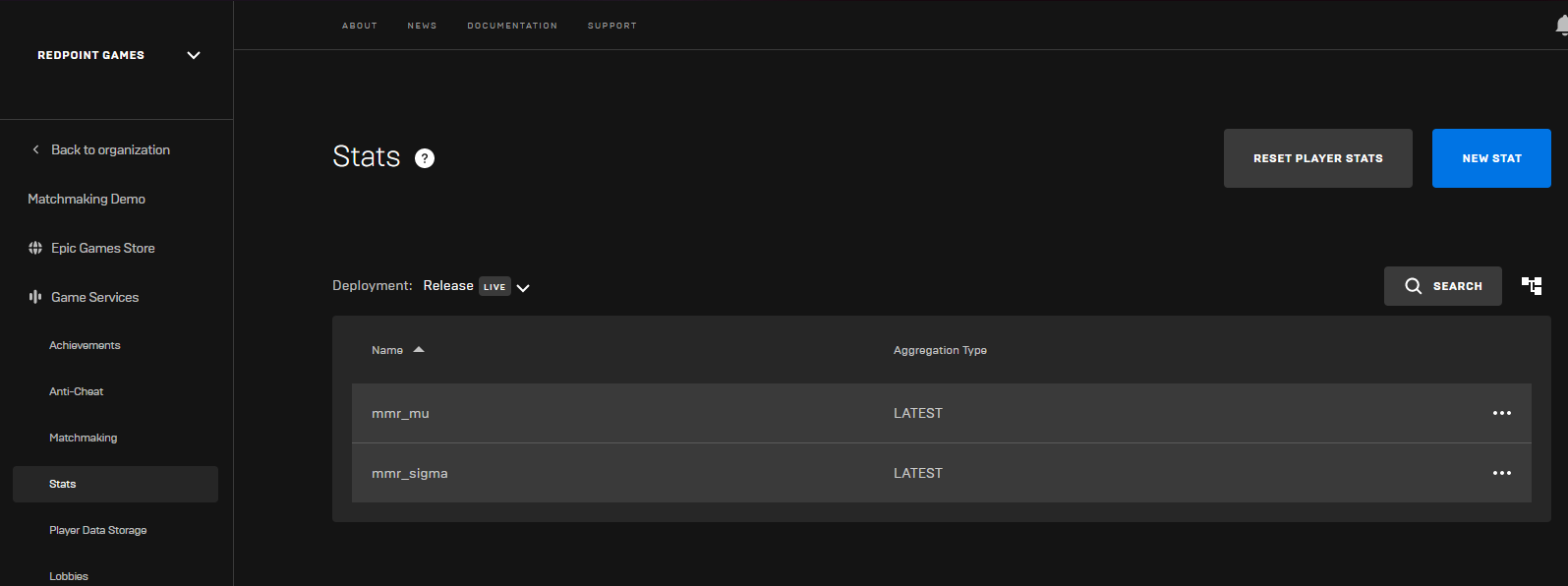
Then in your game's Project Settings, you need to tell how the EOS Online Framework plugin to encode the stats as "Float (Encoded)", based on the prefix you are using.

Then, provide the stat prefix when queuing into matchmaking. For the examples above, the stat prefix to provide would be mmr.
Next steps
You'll need to pass the "Skill Stat Prefix" when queuing players into matchmaking to enable skill-based matchmaking. You can learn how to do this with one of the topics here:
Once you've played a game with skill-based matchmaking enabled, you'll need to submit the match results when the game ends. You can learn how to do this with one of the following topics: